Rendering in Blender is often a "set it and forget it" task—until you realize you've forgotten it for three hours after it finished. While GreenBar's visual progress bar detection works well, there's an even better strategy for Blender users: the Text Watcher.
Why Text Watcher?
Blender's UI is highly customizable, and while standard progress bar detection works for fast tasks, long Blender renders move too slowly for computer vision to reliably pick up minute pixel changes. The progress bar might look "frozen" to a standard monitor even when it's working.
By using the Text Watcher, GreenBar reads the actual numerical percentage. This is rock-solid even for renders that take days, as it detects discrete value changes rather than relying on pixel-by-pixel comparisons.
The Winning Strategy: The "Nearly Done" Notification
A pro tip for long renders is to not wait for exactly 100%. Instead, set your notification for 80% or 90%.
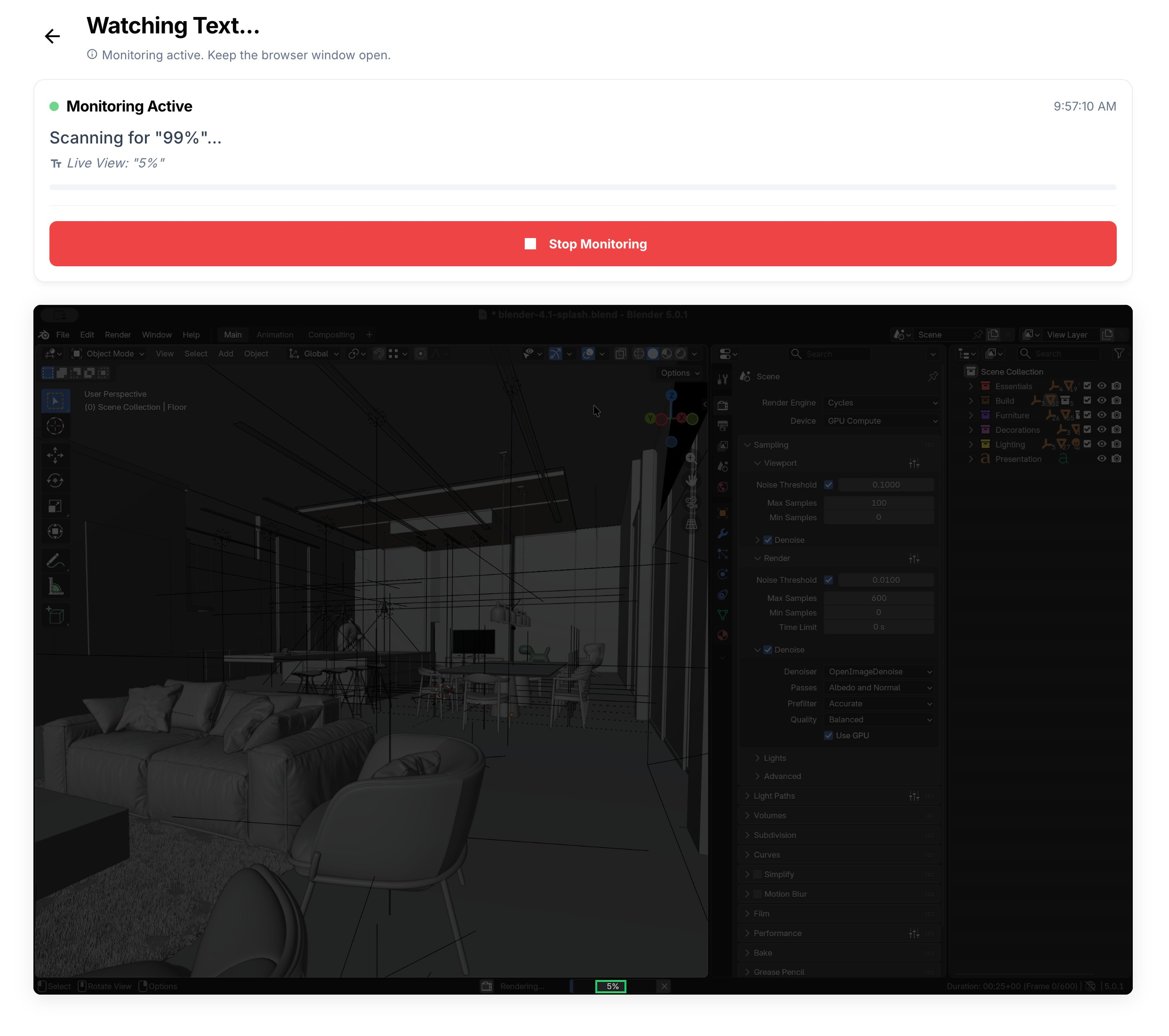
This gives you a few minutes of "heads up" to finish what you're doing, get back to your workstation, and be ready to start the next task or check the final output the moment it hits 100%.
How to Set It Up
- Select your Blender window in GreenBar.
- Select Text Watcher from the main mode selector.
- Draw the selection box around the percentage text in the Blender status bar at the bottom of the application.
- Set the Target Value to `85` or `90`.
- Scan the QR code to link your phone.
Avoid the "Render Hang"
If you are worried about Blender crashing or hanging (which can happen with heavy Cycles renders), combine this with GreenBar's AI Freeze Detection. If the percentage hasn't moved for a few minutes, GreenBar will alert you that your render might be stuck.
Maximize your uptime and stop babysitting the progress bar. Let GreenBar watch the numbers for you.
Security for your Intellectual Property
Professional studios and freelance artists often work under strict NDAs. Uploading your viewport to a cloud monitoring service effectively breaks that air-gap.
GreenBar solves this by bringing the "Render Farm" monitoring experience to your local workstation without the security risk.
- Zero Video Streaming: Unlike TeamViewer or Discord, we don't stream your viewport.
- Local OCR: The text reading algorithm runs on your GPU, inside your browser.
- NDA Compliant: Since no image data leaves your machine in Local Mode, your unreleased assets remain secure.
Monitor your render times without broadcasting your work.