AI image generation is addictive, but waiting for a complex ComfyUI workflow to finish can take a while. While there are several ways to track progress, one strategy stands out as the most reliable for long-running jobs.
The Loading Bar Trap
ComfyUI provides a progress bar at the top of nodes, but it isn't always the best target for monitoring. For complex workflows or high-step counts, the bar progresses in large, infrequent increments. This can make it difficult to tell if the generation is actually moving or if it has stalled.
The Winning Strategy: Monitoring the Job List
The most robust way to know a job is truly finished is to watch the Job List panel. By expanding the list, you can see the output filenames (like `ComfyUI_0001_.png`) as they appear.
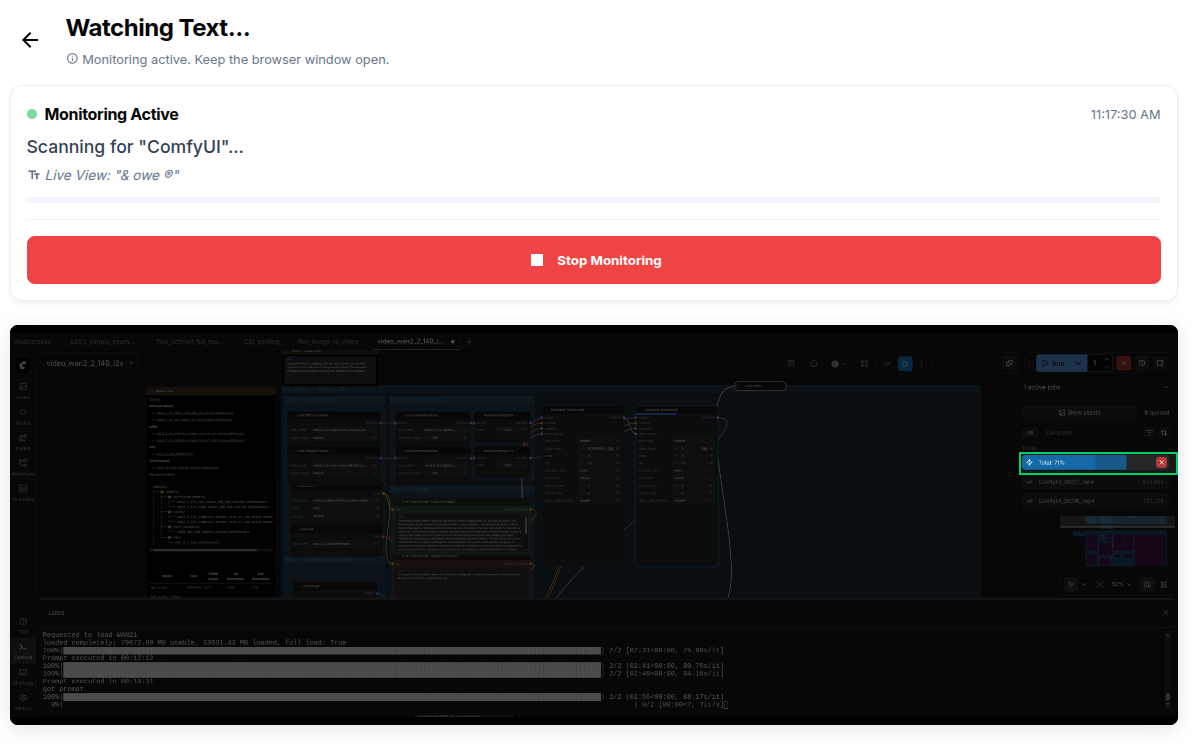
The filename appears exactly when the loading bar is complete and the file is saved to disk. This text appearing is the ultimate signal that your GPU is ready for the next task.
How to Set It Up
- Expand the Job List in your ComfyUI interface.
- In GreenBar, select Text Watcher.
- Draw the selection box over the area where the next filename is expected to appear.
- Pick any text from a previous successful job (like `ComfyUI_`) or set it to watch for a specific keyword.
- Scan the QR code to link your phone via Telegram.
Why This Works better
By monitoring the output filename rather than the progress bar:
- It's Precise: The filename appears only when the file is finished and saved.
- Robustness: Unlike the progress bar which might "jump" from 10% to 50%, or stay at 99% for a long time, the filename is a binary indicator of completion.
- Queue Transparency: If you're running a batch, you can see exactly which item just finished.
Whether you're generating SDXL masterpieces or experimenting with Video Synthesis, let GreenBar handle the "wait and see" so you can stay in your creative flow.
Privacy & Security: Why it matters for ComfyUI
We know the ComfyUI community values privacy. That's why GreenBar is built differently from other monitoring tools.
> [!IMPORTANT]
> GreenBar Runs Locally: We do not stream your screen to a server.
When you use the Free/Local plan:
- Pixel Analysis happens in your browser: We use the HTML5 Canvas API to read pixels directly in Chrome/Firefox.
- No Video Upload: Your NSFW generations or private workflows never leave your localhost.
- Offline Capable: You can even disconnect your internet (airplane mode) and the monitoring logic still works.
We only send a signal to your phone when the "Check" condition is met. Your data stays yours.