Downloading high-parameter LLMs in LMStudio is exciting but time-consuming. These files can be 10GB, 20GB, or even larger.
The Wait
We've all been there: you found a new cutting-edge model on Hugging Face, you paste the URL into LMStudio, and then... you wait. Depending on your internet connection, downloading a quantized model can take anywhere from a coffee break to a full lunch hour.
Walk Away with Confidence
Instead of checking your screen every 5 minutes, let GreenBar watch it for you.
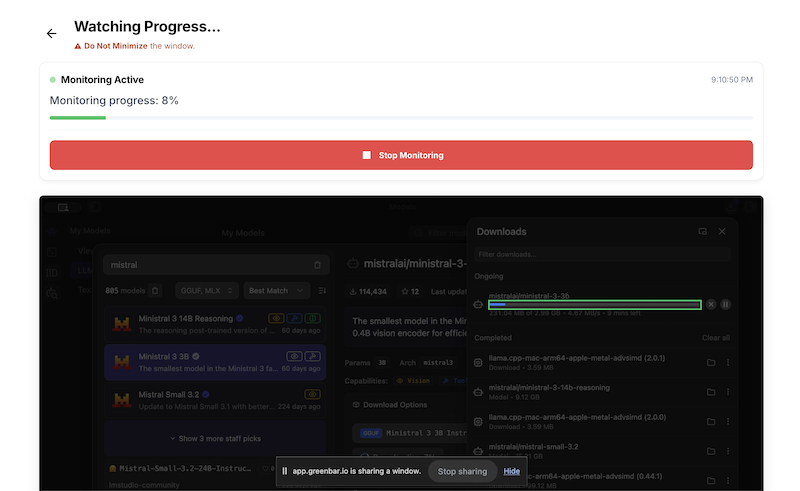
- Launch GreenBar and select your LMStudio window.
- Target the Download Bar: Draw the monitoring box around the download progress indicator in LMStudio.
- Set & Forget: Link your Telegram or keep the tab open for an audio alert.
GreenBar detects when the progress bar fills up and sends you a notification immediately. You can step away, stretch, or grab that coffee, knowing you'll be the first to know when your model is ready to be loaded.
Ready to Chat
Once notified, just head back to your computer. Your fresh model is downloaded and ready to serve. No wasted time, no constant checking.
Crucial Note: The application you are monitoring must remain visible on your screen as the top active window. If you minimize the window or fully cover it with another application, the operating system may stop sending video frame updates to GreenBar, causing the monitoring to freeze.